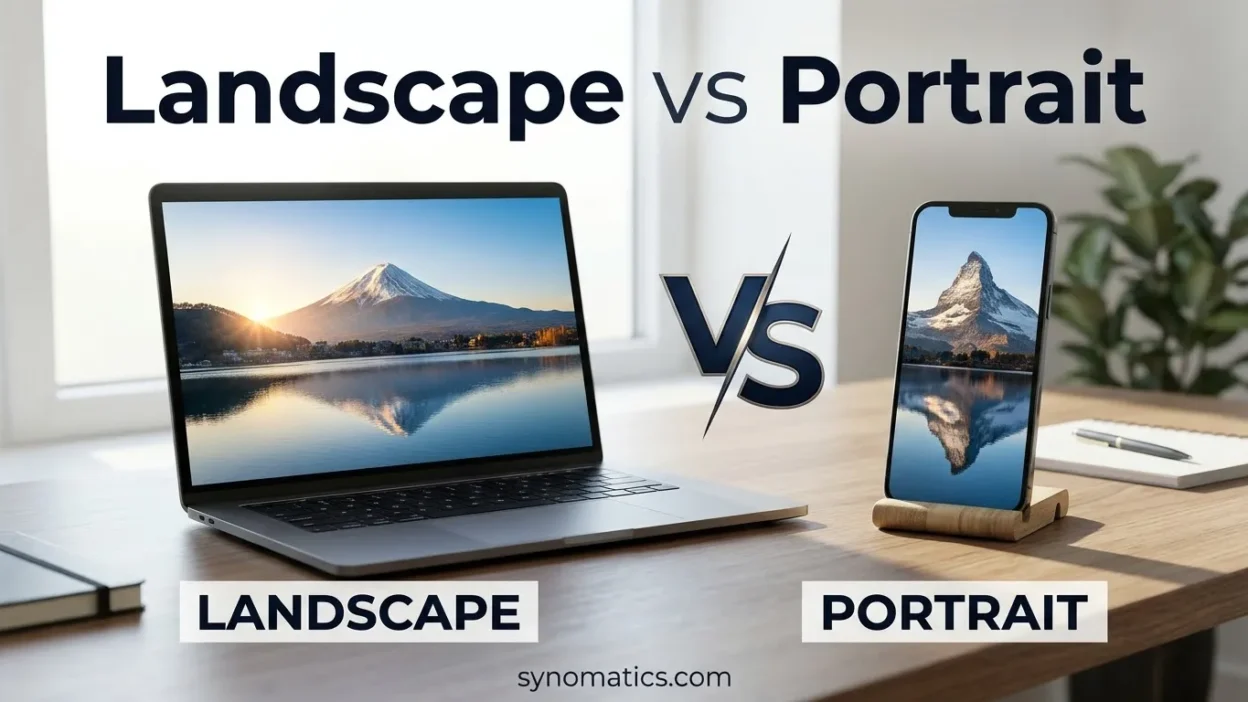
Landscape and portrait are two common orientations used in photography, printing, documents, presentations, and digital design. The main difference between landscape and portrait is their shape: landscape is wider than it is tall, while portrait is taller than it is wide. Understanding this distinction helps you choose the right orientation for school assignments, photographs, posters, videos, and other everyday tasks.
Although both orientations can display the same information, each works better for different purposes. Landscape provides more horizontal space, making it useful for spreadsheets, presentations, group photos, and wide scenery. Portrait offers more vertical space, making it suitable for letters, essays, individual photographs, and smartphone content. In photography, orientation can also affect composition, mood, and the story an image communicates. The best choice depends on your subject, intended audience, viewing device, and the details you want to emphasize.
Quick Answer: Landscape vs Portrait
Landscape means an image or page is wider than it is tall. Portrait means it is taller than it is wide. Landscape is commonly used for presentations, panoramic scenery, and widescreen videos, while portrait is popular for documents, individual photographs, and mobile content. In photography, the right orientation also depends on composition, subject, and intended use.
Why Do People Confuse Landscape and Portrait?
People often confuse landscape and portrait because both terms have everyday meanings as well as specific uses in photography, printing, and design.
The word landscape commonly refers to natural scenery, such as mountains, forests, and fields. The word portrait usually describes a photograph or painting of a person. However, when discussing orientation, these terms describe the shape of an image or page rather than the subject.
For example, a photograph of a person can be landscape if it is wider than it is tall. Similarly, a photograph of a tall building or a waterfall can be portrait if its height is greater than its width.
Another reason for confusion is that people sometimes choose an orientation based only on the subject. In reality, the intended use, composition, background, and message also matter.
What Does Landscape Mean?
Landscape is an orientation in which the width of a page or image is greater than its height. It is also called horizontal orientation because the image extends farther from left to right.
Landscape works well when you need to show a broad scene, arrange information in several columns, or include multiple subjects within one frame.
Examples of Landscape Orientation
- A PowerPoint presentation displayed on a wide screen.
- A photograph of a mountain range or beach.
- A spreadsheet containing many columns.
- A movie shown on a television.
- A school poster designed horizontally.
- A website banner for a desktop screen.
- A group photograph showing several people.
- A wide photograph of a city skyline.
For example, a page measuring 11 inches wide and 8.5 inches tall is in landscape orientation.
The wider layout provides more horizontal room for charts, headings, images, and side-by-side information. In photography, it can also help show the relationship between a subject and its surroundings.
Why Is Landscape Useful in Photography?
Landscape orientation is particularly useful when the surrounding environment is an important part of the image.
A photographer capturing a desert, open field, mountain range, or city skyline may choose landscape to emphasize distance and space. The wider frame can communicate openness, calmness, or the scale of a location.
However, landscape is not limited to nature photography. It can also work well for events, architecture, street photography, and photographs of people when the background contributes to the story.
What Does Portrait Mean?
Portrait is an orientation in which the height of a page or image is greater than its width. It is also called vertical orientation because the image extends farther from top to bottom.
Portrait works well for content that follows a vertical reading flow or focuses attention on a person, object, or tall structure.
Examples of Portrait Orientation
- A traditional school essay.
- A passport-style photograph.
- A printed letter.
- A vertical smartphone video.
- A personal profile picture.
- A page in a standard novel.
- A photograph of a tall building.
- A website image designed for mobile viewing.
For example, a page measuring 8.5 inches wide and 11 inches tall is in portrait orientation.
The taller layout provides more vertical space for paragraphs, lists, and subjects photographed from head to toe.
Why Is Portrait Useful in Photography?
Portrait orientation can draw attention to a person’s face, body, or the height of an object. It can also reduce unnecessary background details and create a more focused composition.
For example, a vertical photograph of a person standing beside a tall building can emphasize height. A close-up headshot can use portrait orientation to keep attention on the person’s expression.
Portrait orientation is also useful for smartphone content because vertical images can occupy more of the screen when viewed in portrait mode.
Landscape vs Portrait: What Is the Difference?
The main difference is the relationship between width and height. Landscape is wider than it is tall, while portrait is taller than it is wide.
| Feature | Landscape | Portrait |
|---|---|---|
| Shape | Wider than tall | Taller than wide |
| Direction | Horizontal | Vertical |
| Common document use | Slides and wide reports | Letters and essays |
| Photography | Wide scenes and group shots | Individual subjects and tall objects |
| Screen use | Television and widescreen presentations | Smartphones and vertical videos |
| Composition | Emphasizes width and surroundings | Emphasizes height and focused subjects |
| Common paper example | 11 × 8.5 inches | 8.5 × 11 inches |
| Common video ratio | 16:9 | 9:16 |
| Best suited for | Wide subjects and comparisons | Tall subjects and vertically arranged content |
These are common uses, not strict rules. Either orientation can work for many subjects depending on the photographer’s purpose and the final layout.
When Should You Use Landscape or Portrait?
Choose an orientation based on your content, available space, intended platform, and how people will view the image or document.
When Should You Use Landscape?
Use landscape when your content needs more horizontal space.
Landscape is often a good choice for:
- Presentations: Slides need room for diagrams, charts, headings, and images.
- Wide photographs: Mountains, beaches, city skylines, and group pictures can fit naturally.
- Spreadsheets: Multiple columns can be displayed side by side.
- Videos and television: Traditional widescreen videos commonly use landscape orientation.
- Comparison charts: Two or more items can be placed next to each other.
- Wide posters: Horizontal layouts suit timelines, banners, and panoramic designs.
- Website banners: Desktop headers often need a wide image.
- Event photography: A wide frame can include several people and the surrounding setting.
For example, if you are preparing a class presentation about climate change, landscape orientation gives you room to place a chart beside an explanatory paragraph.
When Should You Use Portrait?
Use portrait when your content needs more vertical space.
Portrait is often a good choice for:
- Essays and assignments: Paragraphs fit naturally into a vertically arranged page.
- Letters and reports: Standard paper documents commonly use portrait orientation.
- Individual portraits: A vertical frame can emphasize a person’s face or full body.
- Social media stories: Many story formats use a tall, phone-sized layout.
- Mobile videos: Vertical videos can fill a smartphone screen.
- Posters and flyers: A tall layout can guide readers from the headline to the details.
- Architecture photography: Tall buildings can be emphasized in a vertical frame.
- Mobile website images: Portrait images can fit naturally into narrow screens.
For example, if you are writing a school essay, portrait orientation usually provides a familiar and comfortable reading layout.
Should You Consider Where the Image Will Appear?
Yes. The destination of an image can influence which orientation works best.
A website banner designed for a desktop screen usually needs a wide image. A mobile story often works better with a tall image because it matches the shape of a smartphone screen.
The same photograph may need different crops for different platforms. For example, a landscape photograph of a person standing beside a car may work well on a desktop website, while a portrait crop may suit a mobile profile or story.
Before taking a photograph or designing a graphic, consider the intended size, screen, and placement. This can reduce the need for major cropping later.
How Does Orientation Affect Photography and Mood?
Landscape and portrait do more than change the shape of a photograph. They can influence what viewers notice and how they interpret the scene.
Landscape Can Emphasize Space and Distance
A wide frame can show the relationship between a subject and its surroundings. It is useful when the environment is part of the story.
For example, a photograph of a small person standing in a large desert can emphasize the size of the landscape. A wide image of a quiet field can also create a feeling of openness and calm.
Landscape is not automatically more peaceful or dramatic, but it provides room to communicate these feelings through composition.
Portrait Can Emphasize Height and Attention
A tall frame can make vertical subjects appear more prominent. It can also reduce distractions and direct the viewer’s attention toward a person or object.
For example, a portrait photograph of a tall waterfall can emphasize its height. A vertical headshot can make a person’s facial expression the main focus.
Which Orientation Tells a Better Story?
Neither orientation always tells a better story. The right choice depends on what you want viewers to notice.
If the background, distance, or several subjects are important, landscape may work better. If the subject’s height, expression, or vertical shape matters most, portrait may be the better choice.
When possible, try both orientations and compare the results before deciding which image communicates your idea most clearly.
How Can You Improve Composition With Landscape and Portrait?
Composition means the way subjects and other elements are arranged within an image. Good composition helps guide the viewer’s attention and makes a photograph easier to understand.
Use the Rule of Thirds
The rule of thirds is a simple composition technique. Imagine dividing an image into nine equal sections using two horizontal lines and two vertical lines.
Instead of always placing the main subject in the exact center, try positioning it near one of the grid lines or their intersections. This can create a more balanced or interesting composition, depending on the scene.
For example:
- In a landscape photograph, place a mountain near one of the vertical grid lines and allow the sky or foreground to occupy part of the frame.
- In a portrait photograph, position a person’s eyes near an upper horizontal grid line.
- In a photograph of a tall building, use the vertical lines to help arrange the structure within the frame.
The rule of thirds is a helpful guide, not a strict requirement. Centered compositions can also work well.
Leave Space for Text
If an image will be used in an advertisement, website banner, presentation, or poster, consider leaving some empty space for text.
This empty area is often called negative space. It helps prevent words from covering important parts of the photograph.
For example, a landscape image with open sky on one side may provide room for a headline. A portrait image with a plain background above a person may leave room for a title.
Consider the Background and Foreground
The foreground is the area closest to the viewer, while the background is the area behind the main subject.
Landscape orientation can include more foreground and background detail, helping viewers understand the setting. Portrait orientation can reduce some surrounding details and emphasize a single subject.
Before taking a picture, check whether objects in the background distract from the subject. Adjusting your position or changing the orientation may improve the composition.
12 Examples of Landscape and Portrait
These examples show how both orientations work in everyday situations.
- School essay: A page taller than it is wide is portrait.
- Class presentation: A slide wider than it is tall is landscape.
- Mountain photograph: A wide view of a mountain range is often landscape.
- Passport photograph: A vertically framed headshot is commonly portrait.
- Spreadsheet: A wide worksheet with many columns often benefits from landscape.
- Novel page: A typical printed book page uses portrait orientation.
- YouTube video: A traditional 16:9 video is landscape.
- Social media story: A 9:16 story is portrait.
- Family photograph: A wide picture showing many relatives can be landscape.
- Full-body photograph: A vertically framed person may be photographed in portrait orientation.
- Business report: A page with long tables may work better in landscape.
- Greeting card: A card can use either orientation, depending on its design.
These examples illustrate common choices rather than fixed requirements. A mountain can be photographed in portrait orientation, and a person can appear in a landscape photograph.
Common Mistakes When Using Landscape and Portrait
Understanding the terms is simple, but several mistakes can lead to confusion.
1. Thinking Landscape Always Means Nature
Landscape can refer to natural scenery, but landscape orientation describes an image or page that is wider than it is tall.
Correct understanding: A spreadsheet can be landscape even though it contains no natural scenery.
2. Thinking Portrait Always Means a Person
A portrait often depicts a person, but portrait orientation can describe any vertically arranged image or page.
Correct understanding: A tall photograph of a building can use portrait orientation.
3. Choosing Orientation Based Only on the Subject
The subject matters, but the composition and purpose matter too.
Correct understanding: A person standing in front of a wide city skyline may look better in a landscape frame.
4. Assuming Landscape Is Always Better for Videos
Landscape works well for television and many long-form videos. Portrait is often more suitable for full-screen smartphone viewing.
Correct understanding: Choose the orientation based on the platform and intended viewing experience.
5. Confusing Orientation With Image Quality
Orientation describes shape, not quality. A landscape image is not automatically clearer or more professional than a portrait image.
Correct understanding: Image quality depends on factors such as resolution, focus, lighting, and composition.
6. Cropping Without Considering the Final Image
Cropping removes unwanted areas from the edges of a photograph. However, excessive cropping may cut off important details or reduce the available image resolution.
Correct understanding: Consider the final shape and dimensions before cropping, especially if the photograph will be printed or displayed in different sizes.
What Is an Easy Memory Trick for Landscape vs Portrait?
Use these simple memory tricks to remember the difference.
- Landscape = Long sideways. Imagine a wide horizon stretching from left to right.
- Portrait = Person standing. Imagine a person standing upright in a tall frame.
You can also remember the shapes:
- Landscape: width is greater than height.
- Portrait: height is greater than width.
If you are unsure which orientation to choose, look at the longer side. A longer horizontal side means landscape; a longer vertical side means portrait.
Is Landscape vs Portrait Different in American and British English?
No. Landscape and portrait have the same basic meanings in American English and British English when referring to page, photograph, and screen orientation.
Both varieties use landscape orientation for a wider-than-tall layout and portrait orientation for a taller-than-wide layout.
For example:
- American English: “Print the report in landscape orientation.”
- British English: “Print the report in landscape orientation.”
- American English: “The document is set to portrait.”
- British English: “The document is set to portrait.”
There is no important regional difference in these uses. However, software menus, paper sizes, and printing conventions may vary by country or application.
What Words Are Similar to Landscape and Portrait?
Several related words help describe image orientation, layout, and composition.
- Horizontal: Extending from left to right; closely associated with landscape orientation.
- Vertical: Extending from top to bottom; closely associated with portrait orientation.
- Orientation: The direction or arrangement of a page, image, or screen.
- Aspect ratio: The proportional relationship between width and height, such as 16:9 or 9:16.
- Panorama: A very wide view or image of a scene.
- Headshot: A photograph focused mainly on a person’s head and shoulders.
- Composition: The arrangement of elements within a photograph or design.
- Framing: The way a subject is positioned within an image.
- Cropping: Removing parts of an image’s edges to change its composition or dimensions.
- Negative space: An area around or between subjects that has relatively little visual detail.
These words are related, but they are not interchangeable. For example, aspect ratio describes proportions, while orientation describes whether the overall format is landscape or portrait.
How Can You Change a Photo From Landscape to Portrait?
You can often change a photograph’s orientation or appearance using a photo editor, such as Adobe Lightroom, Adobe Photoshop, or the editing tools available on your smartphone.
There are several ways to do this, depending on your goal.
1. Crop the Image
Cropping removes unwanted parts of an image. To turn a wide photograph into a portrait-shaped image, select a taller crop that keeps the main subject inside the frame.
Be careful not to remove important details, such as a person’s head or the top of a building.
2. Change the Aspect Ratio
Aspect ratio describes the relationship between an image’s width and height.
Common examples include:
- 16:9: A widescreen format commonly used for landscape video.
- 9:16: A vertical format commonly used for mobile stories and videos.
- 1:1: A square format with equal width and height.
Changing the aspect ratio can help an image fit a specific platform. However, selecting a new ratio may require cropping the image.
3. Rotate or Straighten the Image
Rotating an image changes its direction. Straightening corrects a tilted horizon or other lines that should appear level.
These adjustments can improve the image’s presentation, but rotating a photo does not always produce a useful new composition. Check that the subject still fits naturally in the frame.
4. Flip the Image
Flipping creates a reversed version of an image. A horizontal flip swaps the left and right sides, while a vertical flip reverses the top and bottom.
Flipping changes the direction in which subjects face or appear to move, but it does not by itself change a landscape image into portrait orientation.
5. Check the Final Result
After editing, check the image at the size and on the screen where it will be used. Make sure the subject is visible, important details are not cut off, and the image fits its intended layout.
Some edits can also reduce image quality or remove cropped pixels, depending on the software and settings. Keep an original copy when possible.
Can Camera Settings Improve Landscape and Portrait Photos?
Yes. Camera settings can help you achieve the result you want, although the best settings depend on lighting, movement, lens, and subject.
Use Background Blur for Portraits
A blurred background can help separate a person from the surroundings. Many smartphones offer a Portrait mode that uses software and camera data to create this effect.
With a dedicated camera, a wider aperture, such as f/1.8 or f/2.8, can create a shallower depth of field when other conditions are suitable.
Background blur is a creative choice rather than a requirement. Some portraits look better with a sharp background.
Keep More Details Sharp in Landscapes
Landscape photographs often benefit from having important details in both the foreground and background in focus.
A smaller aperture, such as f/8 or f/11, can provide greater depth of field, depending on the lens and focusing distance. A tripod may help when a slower shutter speed is needed, particularly in low light.
You do not need advanced camera settings to take a good landscape or portrait photograph. Composition, lighting, focus, and the subject’s placement remain important.
FAQs:
1. What is the main difference between landscape and portrait?
Landscape is wider than it is tall, while portrait is taller than it is wide. Landscape is commonly used for presentations and wide photographs, whereas portrait is common for documents and vertical images.
2. Is landscape horizontal or vertical?
Landscape is horizontal. Its width is greater than its height, giving it a wide appearance.
3. Is portrait horizontal or vertical?
Portrait is vertical. Its height is greater than its width, giving it a tall appearance.
4. Which is better for printing, landscape or portrait?
It depends on the content. Portrait is commonly used for essays, letters, and reports with regular paragraphs. Landscape is often better for wide tables, charts, and documents with many columns.
5. Which orientation is better for photography?
Neither is universally better. Landscape works well for wide scenes, group photos, and environmental portraits. Portrait often works well for individual subjects, full-body photographs, and vertically framed compositions. The best choice also depends on the background and the message you want the image to convey.
6. What is the difference between landscape and portrait in Word?
In Microsoft Word, landscape makes the page wider than it is tall, while portrait makes it taller than it is wide. You can usually change the setting through the Layout tab and the Orientation option.
7. Is landscape or portrait better for mobile videos?
Portrait is often better for videos designed to fill a smartphone screen, particularly short-form social media videos. Landscape is commonly used for traditional widescreen videos, films, and television.
8. Can a portrait photograph be taken in landscape orientation?
Yes. The subject does not determine the orientation. A photograph of a person is landscape if the image is wider than it is tall, and portrait if it is taller than it is wide.
9. What is the rule of thirds in photography?
The rule of thirds is a composition technique that divides an image into nine equal sections using two horizontal and two vertical lines. Placing the main subject near a line or intersection can help create a balanced and engaging composition.
10. Can you change a landscape photo into portrait?
Yes. You can usually crop a landscape photograph into a portrait shape using a photo editor or smartphone editing tool. The result depends on the subject’s position and how much of the original image must be removed.
11. What is the difference between landscape and portrait aspect ratios?
An aspect ratio describes the relationship between width and height. A 16:9 ratio is wider than it is tall and is commonly used for landscape video. A 9:16 ratio is taller than it is wide and is commonly used for vertical mobile video.
Remember This
- Landscape: Wider than tall.
- Portrait: Taller than wide.
- Landscape uses: Presentations, wide scenes, spreadsheets, and widescreen videos.
- Portrait uses: Essays, letters, individual portraits, and vertical mobile content.
- Photography tip: Choose orientation based on composition, subject, and intended mood.
- Editing tip: Cropping, aspect ratios, and straightening can help prepare an image for different uses.
- Best choice: Select the orientation that suits your content and viewing purpose.
Conclusion
Landscape and portrait are two basic orientations used in documents, photography, video, and digital design. Landscape provides more horizontal space, while portrait provides more vertical space. Understanding this difference makes it easier to select the right format for schoolwork, professional documents, photographs, and online content.
In photography, orientation also influences composition, the amount of background shown, and the way viewers experience an image. You can improve your results by considering the intended platform, using simple composition techniques such as the rule of thirds, and making careful adjustments when cropping or editing. The easiest way to remember the distinction is to compare width and height: if an image or page is wider than it is tall, it is landscape; if it is taller than it is wide, it is portrait.